
AI Video Reframing for a Better-Balanced Composition

Give your subject, surroundings and message space to work together. AI video reframing expands your scene around the full original shot. Upload a clip, choose the canvas and decide where the extra room belongs.

A sculptural blue ceramic lamp on a limestone console with open wall space and soft window shadows
9:16 → 16:9
Prompt (optional)

Leave blank to expand from your video.

Make space for a stronger composition with AI video reframing

Let your subject and surroundings share the frame

AI video reframing creates scene area around your footage, helping you balance a person, an object and their surroundings. Keep the full source shot visible as you explore a more open composition with room for the setting that gives your moment its character.

Cinematic sunlit interior with a seated woman and generous surrounding room
9:16 → 16:9

Put the additional space where you need it

Choose left, right or both sides when widening a shot. For a taller canvas, add space above, below or in both directions. AI video reframing lets you preview the arrangement before generating, so a product, speaker or demonstration can sit in the position that suits your design.

Sculptural amber glass perfume bottle on a stone plinth with open studio space to the left
9:16 → 16:9

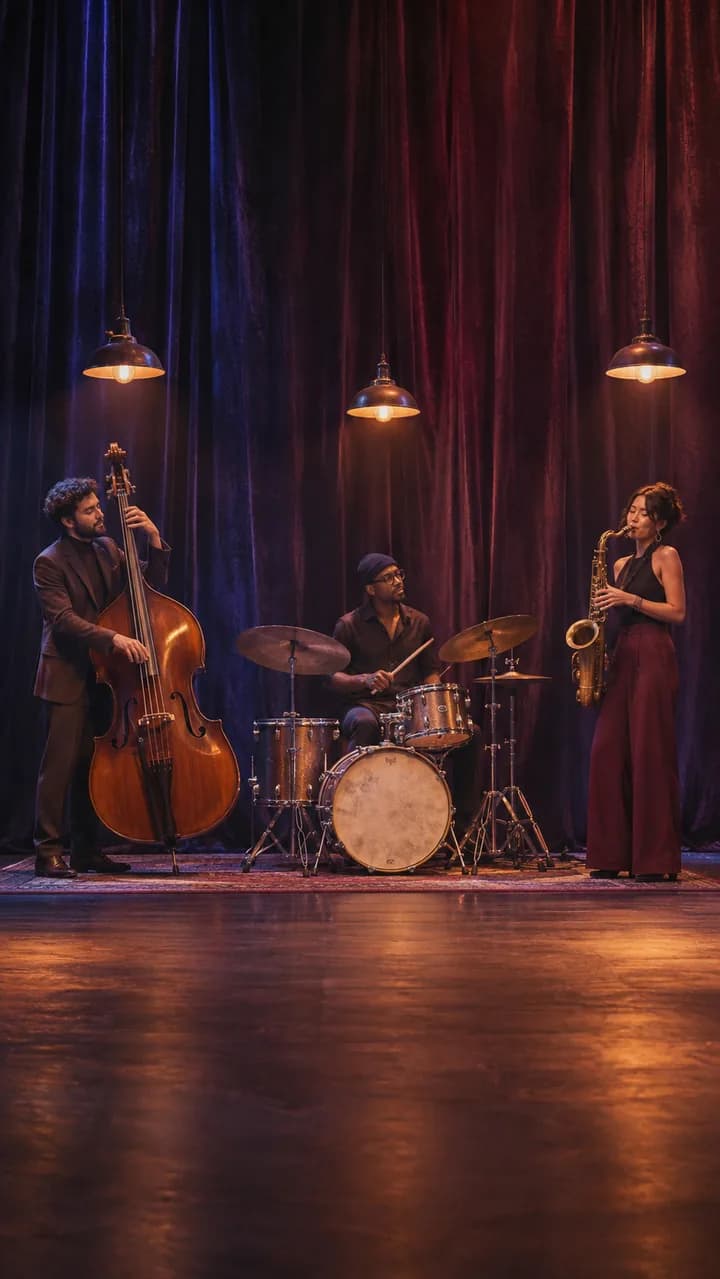
Keep the people and the performance together

Use AI video reframing to build a portrait layout around a complete performance. Preserve the relationship between musicians, gestures and instruments while preparing a version for Reels, Shorts or TikTok. Keep everyone together in the source image and review the new scene throughout the clip.

Jazz trio performing under warm stage lighting with all musicians and instruments visible
1:1 → 9:16

Give your next headline its own space

Plan an airy layout for campaign copy, captions or a brand mark. AI video reframing adds surroundings beside the focal point or above the action. Download your clip, then add the actual text and graphics in your usual editor, keeping important details easy to see.

Minimalist coastal architecture with a sculptural stairway and open pale walls for a spacious composition
1:1 → 16:9

Explore more breathing room at the same ratio

When your source matches 9:16, 4:5, 1:1 or 16:9, select that same ratio to reveal the expansion slider. AI video reframing then adds room around all sides. Adjust the amount to explore how more sky, landscape or background changes the balance of your original composition.

Small sailboat on a still alpine lake surrounded by mountains and a wide pastel sky
16:9 → 16:9

How to adjust video composition with AI video reframing

  1. 1. Upload your clip

    Select a playable video to preview framing right away. AI video reframing accepts clips up to 3 minutes and 300 MB.

  2. 2. Set your composition

    Choose a ratio and expansion direction. Preview your AI video reframing layout and optionally describe the surroundings to generate.

  3. 3. Generate and download

    Check the credit estimate, start AI video reframing, then review your result and download the MP4 with source audio.

AI video reframing for your next placement

Product campaigns

Use AI video reframing to give a product demonstration room beside the action for an offer or campaign message added during editing.

Interviews and performances

Keep a fixed-camera conversation or small performance together while adapting the surrounding frame for another publishing format.

Websites and social posts

Prepare a wider website visual or a taller social post with AI video reframing, using footage you have already captured.

AI video reframing online with clear controls

  • Start in your browser

    Open the same workspace on desktop or mobile to upload footage, plan a composition and start processing.

  • See the estimate first

    Check the estimated credits for your clip before starting AI video reframing. Your duration determines the processing cost.

  • Return when it is ready

    Processing continues after you leave the page. Return to your account to check progress and download available results.

AI video reframing questions

What does AI video reframing change?

AI video reframing generates scenery around your source shot. Choose a target ratio and placement for a fresh composition with the original content in view. The new surroundings are AI-generated continuations of the visible scene.

How does AI video reframing handle a moving subject?

AI video reframing uses your selected fixed placement throughout the clip. Choose a centered or side-aligned layout, with upward or downward placement for taller canvases. Check the full movement of your subject when choosing the composition.

Can I reframe videos without cropping people out?

Yes. AI video reframing fits the complete source shot inside the new canvas and generates scene area around it. Review all people, moving edges and generated details before choosing a result to publish.

Which ratios can I choose, and can I keep my source ratio?

Choose 9:16, 4:5, 1:1 or 16:9. When the selected ratio matches your source, a 20%–100% expansion slider adds room around all sides. Other source ratios can be adapted to one of the four presets.

How can I reframe video for captions with AI video reframing?

Plan the extra room with AI video reframing, then add the actual captions or graphics in your preferred editor after download. Position the source so your message and the main action each have space.

Which files and output sizes does AI video reframing support?

Upload playable MP4, MOV, WebM or MKV files up to 180 seconds and 300 MB. The MP4 output follows your source resolution and chosen ratio, capped at a 1080-pixel short edge and 1920-pixel long edge. Source duration and available audio are preserved.

How much does AI video reframing cost?

Try one clip up to 10 seconds free with no account required. AI video reframing costs 1 credit per second. Visit pricing for monthly or yearly plans with additional credits.

Can I leave the page while my video processes?

Yes. Your AI video reframing task continues, and you can return to the same account for progress and downloads. Each account supports one pending or processing task at a time. Files and results remain available for 30 days.

Start your next composition with AI video reframing

Give your finished shot the space it needs. Upload a clip and explore AI video reframing with your preferred canvas and placement.

Reframe my video